Archive for September, 2009
Notice: Undefined index: message in /home/example.php on line 9
Posted by Rui Miguel Feio in PHP on September 28th, 2009
If you’re getting this message on PHP this is due to your PHP error reporting settings not being set correctly.
You can suppress the Notice warnings by changing the error reporting settings on PHP.ini (permanent change) or adding an extra line to your PHP script.
Changing PHP.ini:
Changing your PHP.ini makes the change permanent and available to every PHP script you run.
- Edit your PHP.ini file
- Locate the line that has error_reporting without the ; in the beginning (ex: error_reporting = E_ALL)
- Change this to error_reporting = E_ALL & ~E_NOTICE
- Save PHP.ini
Adding line to your script:
Just add the following line to the beginning of your script:
error_reporting (E_ALL ^ E_NOTICE);
Explanation:
error_reporting = E_ALL & ~E_NOTICE tells the system to show all errors and warnings except those for notices.
phpMyAdmin root with no password message
Posted by Rui Miguel Feio in PhpMyAdmin, WAMP on September 17th, 2009
After installing WAMP Server it is common when you first access phpMyAdmin to get the following message:
“Your configuration file contains settings (root with no password) that correspond to the default MySQL privileged account. Your MySQL server is running with this default, is open to intrusion, and you really should fix this security hole by setting a password for user ‘.root’.”
To correct this security issue you need to do the following:
- Go to phpMyAdmin
- Select the Privileges tab
- Locate the user “root” that has localhost for a host
- Edit the root user privileges by clicking on the corresponding Edit Privileges button
- On the Change Password section insert the desired password and press Go
- You should now have at the top of the screen the message: “The password for ‘root’@'localhost’ was changed successfully.“
- Now you need to edit file config.inc.php normally located at C:\wamp\apps\phpmyadmin3.2.0.1 (note that the version indication may vary)
- Locate $cfg['Servers'][$i]['auth_type'] = ‘config’; and change from config to cookie so that you get a login window every time you access phpMyAdmin
- Locate $cfg['blowfish_secret'] = ‘ ‘; line. If you don’t have one add it to your config.inc.php file
- Add a secret passphrase to $cfg['blowfish_secret'] = ‘ ‘; for example: $cfg['blowfish_secret'] = ‘secret_pass’;
- Save your changes
- Go to the WAMPServer and select Restart All Services
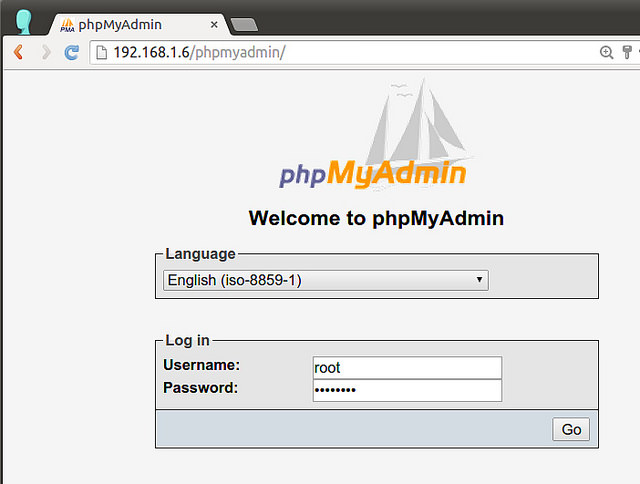
- Once all the services have been restarted go to phpMyAdmin and enter the username root and your password to access phpMyAmdin
Notes:
- The blowfish_secret passphrase should not be the same as the root password.
- If you don’t add a $cfg['blowfish_secret'] line to the config.inc.php file, when you access phpMyAdmin you’ll get the message: “The configuration file now needs a secret passphrase (blowfish_secret).“
If you’re interested in learning more about PhpMyAdmin then check out the book “Mastering PhpMydmin for Effective MySQL Management“.